
Learn to create and manage your customized fields
 Field management is accessible to collaborators who have "Fields - Create", "Edit", "Delete" and "View" permissions.
This permission can be declined by a PSO.
For example: I can allow my Vehicle Manager to manage only the Vehicle PSO fields for which they are the Administrator.
STANDARD FIELDS
The interface is created with default standard fields.
They have two functions:
- System fields: created by default to run the Core HR. They cannot be deleted.
Professional e-mail address is a "system" field. 
- Standard fields are created by PeopleSpheres for easy handling.
Medical Visit is a field created for this purpose. 
Field Creation
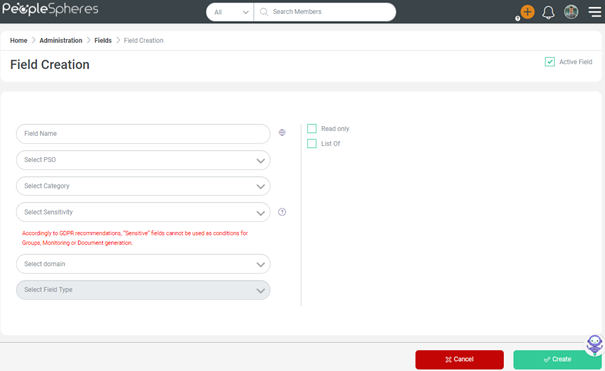
To create a field, you must complete the following information:
|
Field name and its translation
|
It can be translated into four languages: French, English, Spanish Italian and German. An untranslated field takes the creator's translation in all languages by default. |
|
PSO
|
You can create fields for all available PSOs. |
|
Category
|
The category in which the field will be displayed in the User Profile. |
|
|
Three sensitivities are proposed: - Non-sensitive - Considered as sensitive - Sensitive |
|
Field domain
|
A field can be linked to several domains. Fields are attached to a "Global" domain by default. These domains are then used in managing permissions by Roles. |
|
Field Types
|
Check this link |






Field Sensitivities
How to determine Sensitivity for a field?
1st question: Does the compiled data reveal personal information?
If YES -> the field is Sensitive
This includes ethnic origin, political opinion, religious or philosophical beliefs, trade union membership, genetic or biometric data, health, or sex life-related data of the collaborator.
European regulation prohibits the collection of such data, except in the following cases:
- If the concerned person has given their express consent (an active, explicit, and preferably written consent, which must be free, specific, and informed);
- If the information is clearly made public by the concerned person;
- If it is necessary to safeguard human life;
- If its use is justified by the public interest and authorized by the CNIL;
- If it concerns the members or adherents of a political, religious, philosophical, political or trade union association or organization.
If NO, but:
2nd question: could a malicious use of this information have a harmful effect on the collaborator's personal life?
If YES -> the field is Considered as Sensitive
This covers mainly: harassment (personal address and telephone number) and identity theft (social security number, identity papers).
If NO -> the field is Non-Sensitive
PeopleSpheres assumes no responsibility for the quality of data entered, recorded, or created by its clients on their interfaces.
Field Types
The last and most important setting is to select the field type created:
|
Single check box |
 |
|
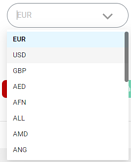
Currency List of currencies that comply with the ISO 4217 norm |
 |
|
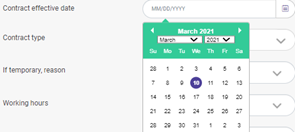
Date |
 |
|
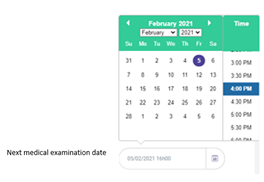
Date with time |
 |
|
File File upload, up to 100mb |
 |
|
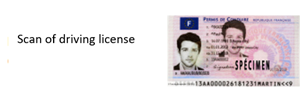
Image Upload files in .png, .jpeg, .gif formats. Unlike the File field, images are displayed in the profile. |
 |
|
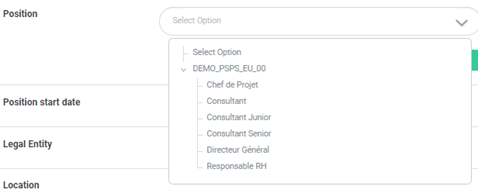
Hierarchy |
 |
|
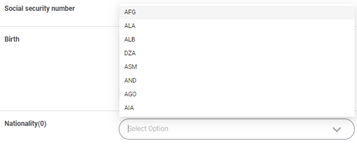
Single choice drop-down list |
 |
|
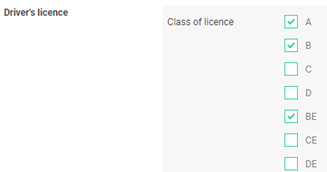
Multiple check boxes |
 |
|
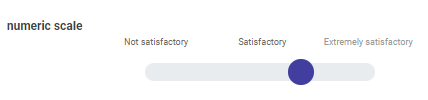
Numeric Scale |
 |
|
Number |
 |
|
Short text Up to 100 characters |
 |
|
Long text Up to 2000 characters |
 |
|
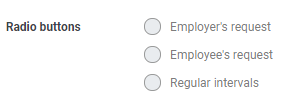
Radio Buttons |
 |
|
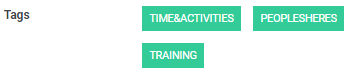
Tags Tip: remember to check "Allow to create new tags" box so that your collaborators can create their own tags |
 |
|
Relations There are two types of Relations: - Manager: you can enter the relation in the User Profile by completing the field. - HR: the relation is driven from a Role. See Role Management |
 |
If the selected PSO is not a "User" type, then the "Manager" and "HR" relation field types are called "Owner" and "Administrator", but the function remains the same.
List Option 
List option allows you to enter several values for the same field.
For example, the "Dependent person" field is often a List field, because it allows you to use a single field, regardless of how many dependent persons the collaborators have.
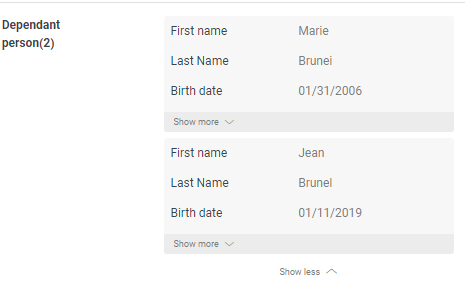
The "List" option cannot be checked or unchecked after the field is created.
Once a field is created, it is not immediately visible on the Core HR. It is only added to the current list of fields.
For immediate use, a field must be added to the "User Profile" form or any other form. See Forms Management