Create and rearrange categories
What is a category?
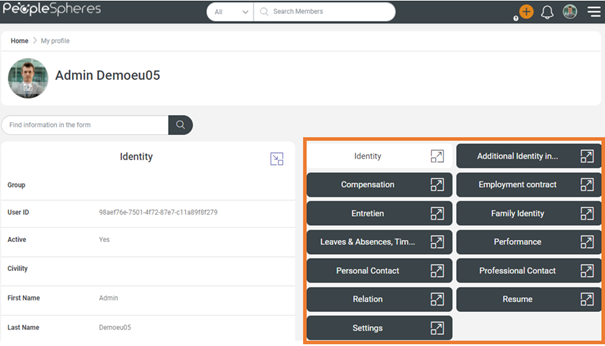
Categories are the organizing spaces in which User Profile form fields are placed.
It has no functional impact, only a visual impact.
If a collaborator does not have visibility permission on any of the fields in a category, then they will not see it.
Category Management
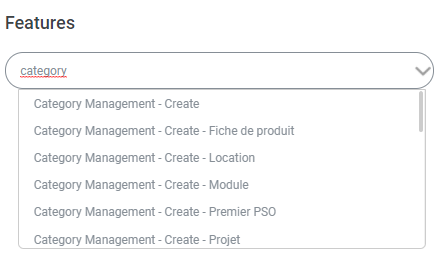
A user can manage categories as soon as they have "Category management" permission in their role.
This right can be declined by a PSO.
For example: Rémi is a Vehicle Manager, I can grant him "Category Management - Create/Edit/Delete" permission in the Vehicle PSO.
To accelerate your learning, every PeopleSpheres Core HR is created with default categories, in which the default fields are stored.
 Click on the "Field categories" button to manage the categories.
Renaming
If you choose to rename a category, it will have no impact on the fields within the category.
Categories are displayed in your Profile in alphabetical order.
To reorder categories, add a number to them: "1 - Contract", "2 - Organizational structure", etc.
Deactivating
If you deactivate a category, all the fields within that category will be transferred to the default User category (or to PSO if the PSO is different).
If you reactivate a deactivated category, the fields will not return to the initial category. You will have to add them back in manually.
Deletion
If you delete a category, all the fields within that category will be transferred to the default category.
Assign a category to a field
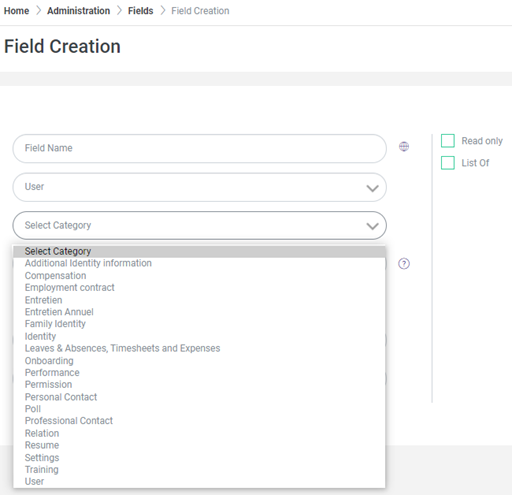
The category to which a field belongs is determined when the field is created.
It can be modified at any moment.
Please refer to the article on Field Creation.
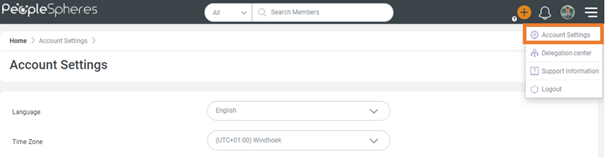
Fields in the "Settings" category are also displayed in the Account Settings tab within the Burger Button.