
This guide will show you how to search for information using the global search in PeopleSpheres
The Global Search bar is available by default to all collaborators.
It is however possible to delete or edit this permission using “Role - Global Search”.
You can split this permission depending on PSO.
For example:
In Celine's company, all collaborators have access to "Global Search - User" to search for their colleagues.
However, only the Vehicle Manager can search for vehicles.
"Vehicle Manager" role is therefore the only one to have the "Global Search - Vehicles" permission.
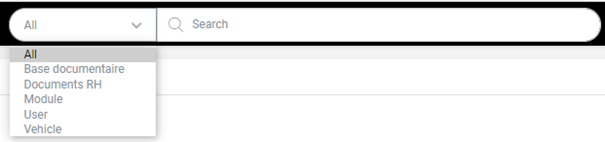
Use the left-hand menu to search a specific PSO, even if the "All" option is chosen by default to search all PSOs at the same time.
If a compatible Leave module is connected, a color code is displayed when searching for a collaborator:
- green, the collaborator is present
- blue, the collaborator is working remotely
- red, the collaborator is absent (authorized leave or not)
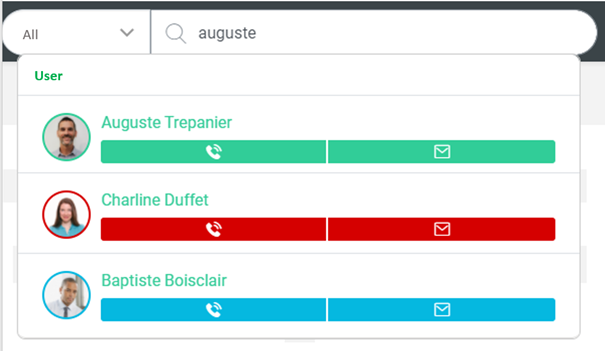
Some Leave modules do not yet allow the status to be displayed on PeopleSpheres, we are working on it. Please contact your consultant if the colors are not displayed correctly.
The  icon can be clicked if the employee has entered a "Professional telephone number" (standard field).
Click on it to launch the browser's default call application.
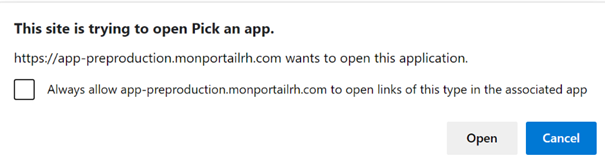
Click on  to send an email to collaborator’s professional email address (standard field).
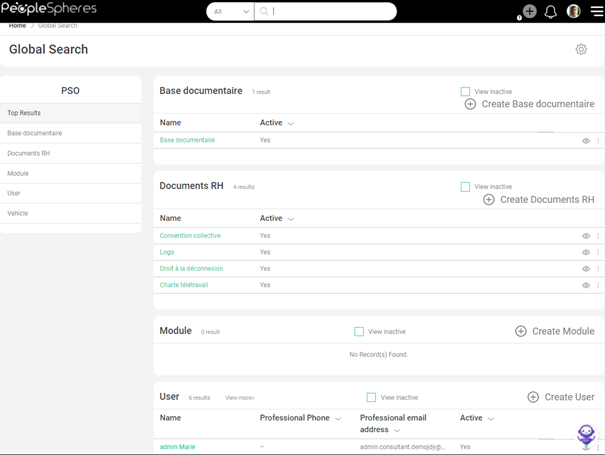
Type  in the search bar to access Global Search.
Users with "User - Create" permission have access to the  button in the Global Search (check out the Create a User guide here).
Click on the  button to deactivate/reactivate a record.
Click on the button to:
- open collaborator’s Delegation Center (check out our Form delegation guide)
- trigger a form for a collaborator’s profile (check out our Create and assign a form guide)
Click on the  button to filter your search depending on a chosen field.
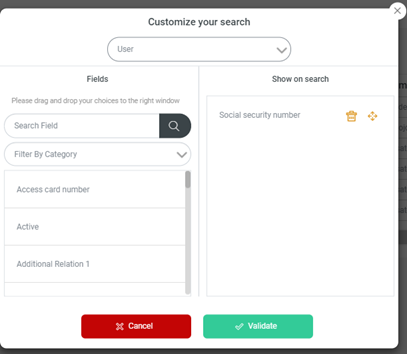
Please note, composite fields cannot be displayed within the Global Search.
As we learned earlier, the search bar provides access to the list of collaborators but also to other databases. Make a list of documents accessible using this option (check out our Make shared documents accessible guide)