
Create users with autonomy
 To access the Add New button, you need to have the PSO - Create permission.
You can split this permission depending on the PSO.
Once the form is filled out, click submit at the bottom, and the user is created, and available to search in the Global Search at the top.
The creation form can be configured and edited from the Forms Management page. Select the User Creation form, and click the crayon button to modify it.
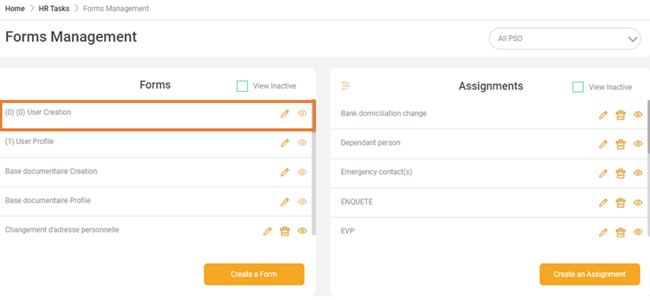
The User Creation form can be configured in several ways. These can be defined in 2 strategies:
- Add a minimum number of fields to rapidly create a user. Complete the profile later or let the new employee complete the other fields via self service (adding personal information such as Education details, Emergency Contacts etc...).
- Add as many fields as possible in the form. These fields can be non-mandatory as well. Complete all the available information in the form from the beginning.
Select and implement your preferred strategy.