
This article looks at the user's transcript in depth
How do you get to the user transcript?
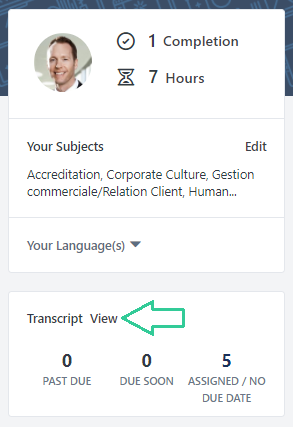
From the training module, go to the burger menu, Learning and Learner Home. Then, from the Learner Home, click on "View" on the left hand side next to Transcript :
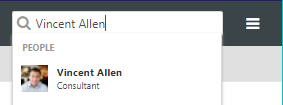
To look at another user's transcript as an admin, search for their name in the search bar in the training module :
Then navigate to the Transcript tab :
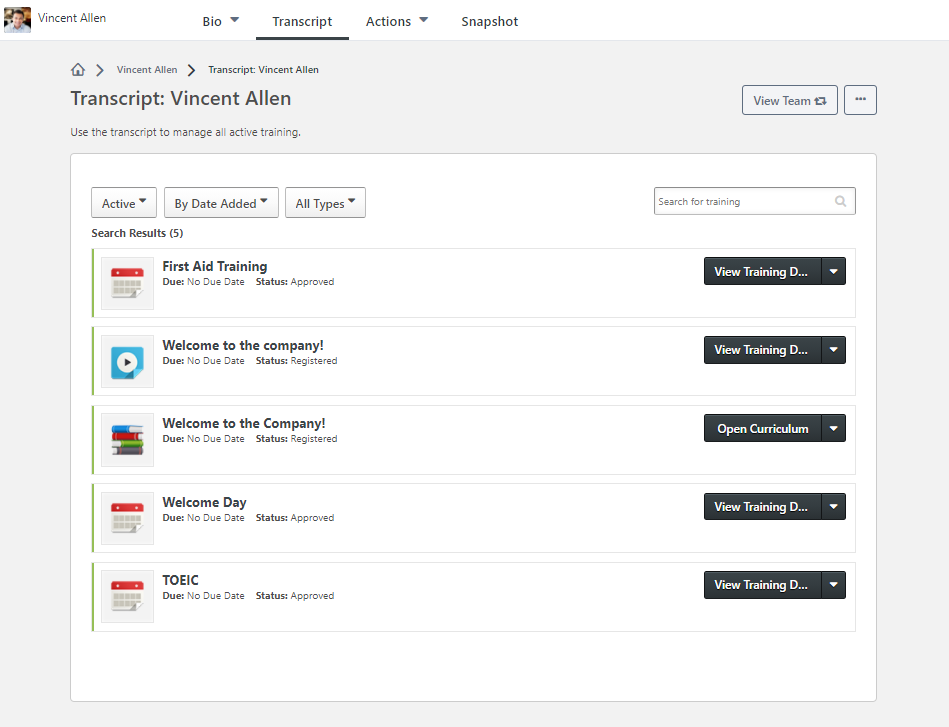
When on the transcript, you can search for training with the search bar, and check the training that has been completed or archived using the drop down lists at the top.
What are the different training statuses?
Every training item on the transcript has a status, allowing you to understand the progress.
- In progress : the training has been started, but has not yet been finished
- Pending Approval : approval is required (from those defined in the validation process) in order to access the training
- Pending Prior Training : the user must complete prior training before being able to access this training
- Approved : the training request has been approved (for Events and Sessions only)
- Registered : the user is on the list of participants for In Person Training (Events and Sessions only)
- Completed : the training has been completed
- Exempt - an exemption request for the training has been approved by the manager
What are the different actions available for a training object ?
- Show details (of all the training objects): allows you to obtain information about the training such as the description, the provider, the number of hours of training, ...
- Open the curriculum (if the learner has been assigned a curriculum)
- Launch (e-learning and video)
- Mark as Completed (to change a training session to Completed status)
- Show prerequisites (if prerequisites are required before launching the training)
- Select Session (for events only: displays the list of scheduled sessions and allows the user to register for a session)
- Withdraw (from a session)
- View Certificate (for a training already completed and if a certificate has been set up)