
As an administrator, you can assign training to an entire population. A manager can assign training to their subordinates.
As an administrator:
Navigate to the Learning Administration menu, then the Learning Assignment Tool.
For more information, follow this guide.
As a manger:
If your company allows it, as a manager you can assign training to one or several of your subordinates.
Search for the training in the search bar, and click on the title of the training.
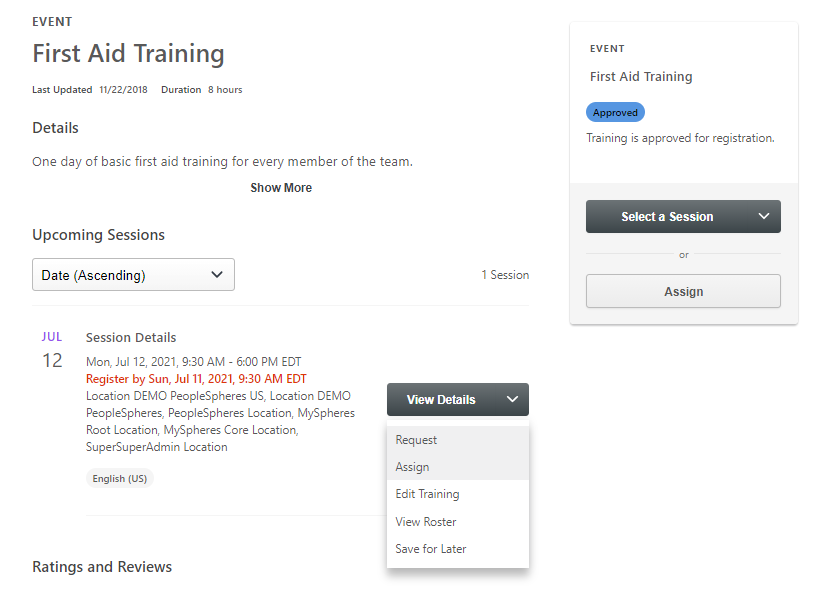
Select the date of the training that you wish to assign, and click the assign button in the drop-down menu :
Next, select the users to whom you wish to assign the training.
By default, your direct subordinates appear. According to your permissions, you may be able to assign the training to your indirect subordinates too.
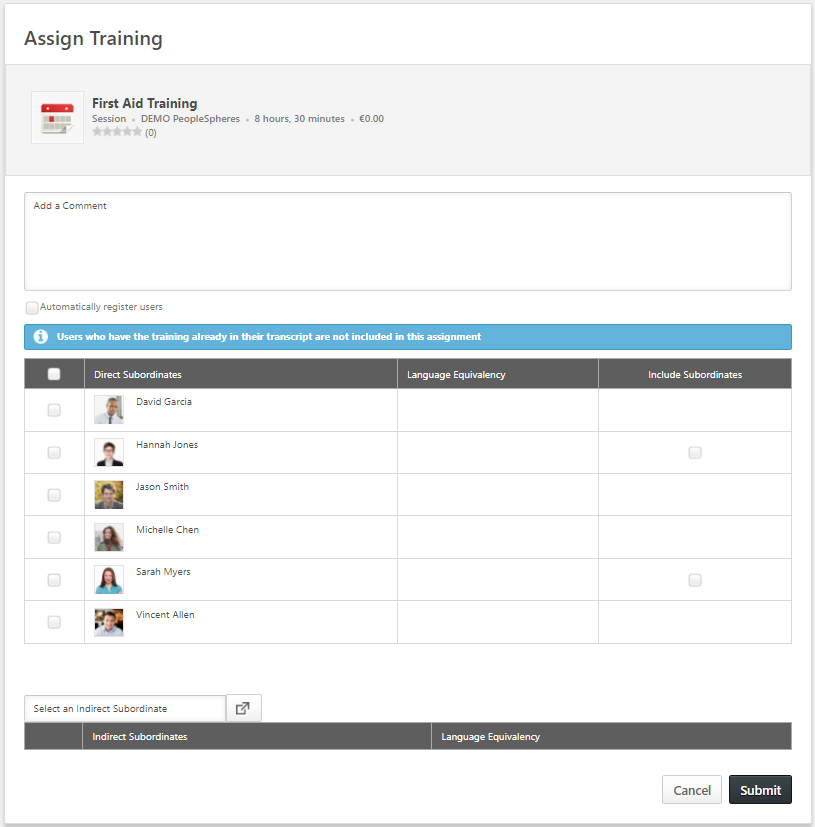
Click Submit. An email is sent to the user for their information, and to the HR rep for validation.